Size and fit for clothing brands
One photo. Their size.
One gallery photo, plus height and weight. SkipTape measures the body in centimetres, then matches it to each style’s own chart and fit rules.
Free Find My Measurements trial, on request. Compare with a tape.
Sizing demo: a real recording from SkipShop, our demo shop
- Shopify
- WooCommerce
Accurate from day one. Trained on millions of subjects.
No developers needed.
For brands selling online
Sizes from your chart, on your product pages.
Jeans, trousers, tops, shirts and jackets, for women and men. The shopper sees the size and the fit before they order.
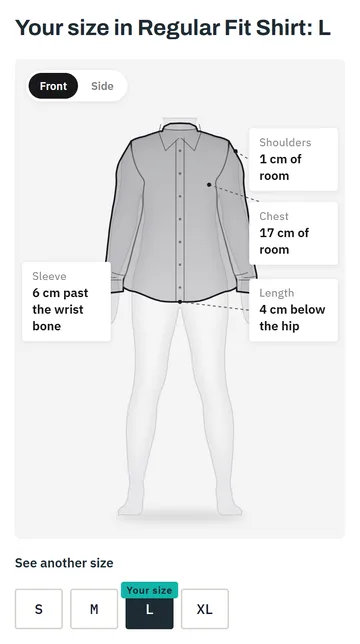
Example screen
For tailors and made to measure
Measure a client who cannot come in.
Body measurements in centimetres, in your own definitions, from one photo.
- Chest
- 101 cm
- Waist
- 92 cm
- Hip
- 99 cm
- Sleeve
- 62 cm
- Shoulder
- 46 cm
- Inseam
- 81 cm
Example screen
Sizing demo
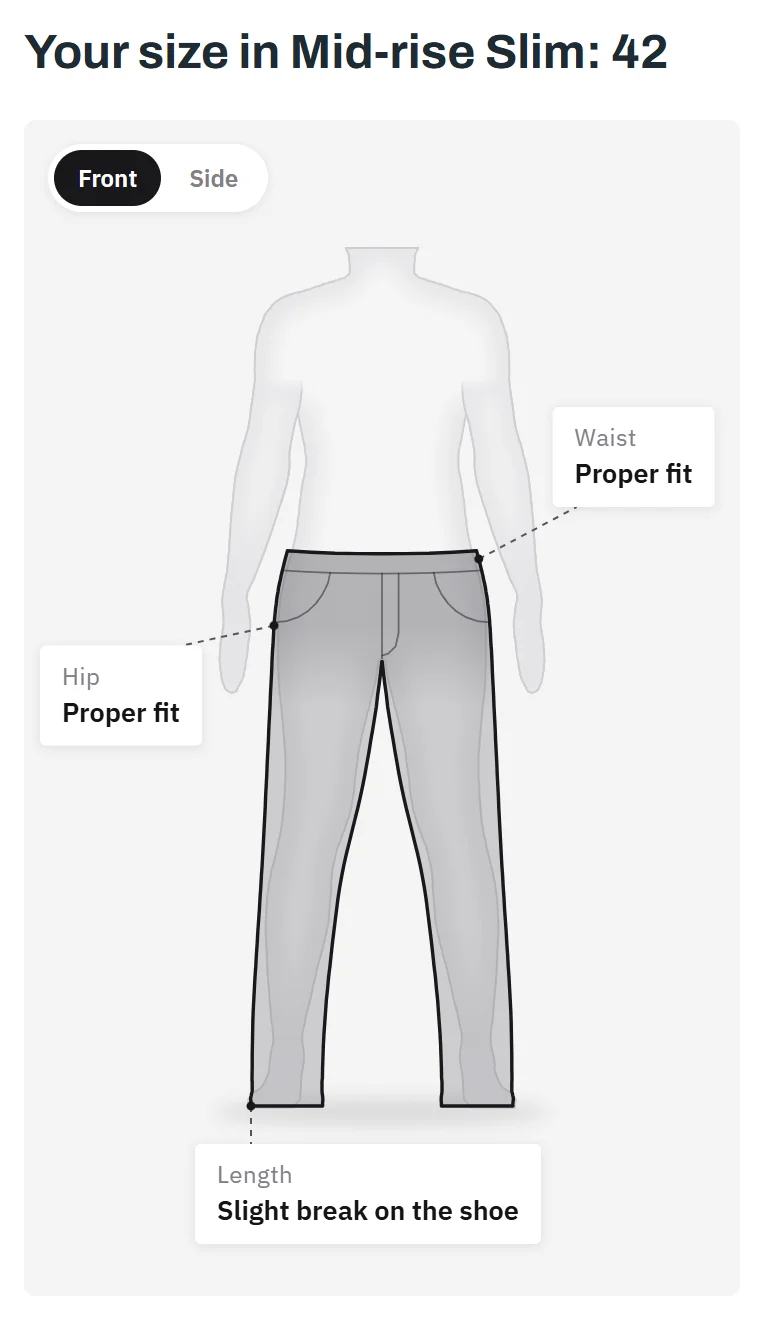
Tap a size. See how it fits.
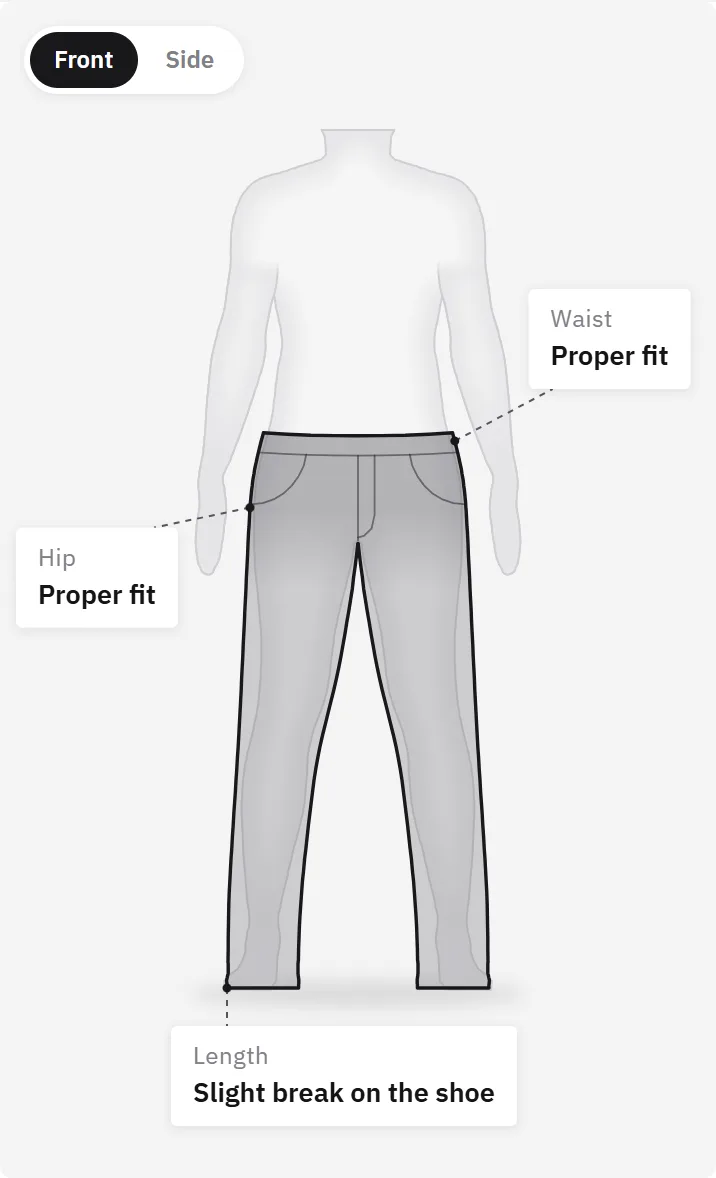
Size
- Waist
- Proper fit
- Hip
- Proper fit
- Length
- Slight break on the shoe
Size 42 is this shopper’s size from the brand’s chart.
Request sizing demo accessMeasured your way
We measure where you measure.
One ordinary photo
From the phone gallery, in everyday clothes. No spinning around, no tight clothes, no tape.
Every number, checkable
Each measurement shows where the tape goes, so you can check it yourself.
Your own numbers
Long legs, short arms: your photo gives your own measurements, not a guess.
About 1 in 4
shoppers have legs or arms longer or shorter than usual for their height. A size chart cannot see it. The photo does.
Per 100 orders in your store
- 71 kept
- 29 returned
- 11 kept instead, expected with SkipTape
See what it means for your store
Expected savings
448 USD a month
224 returns a month avoided, 5,376 USD a year
How it works
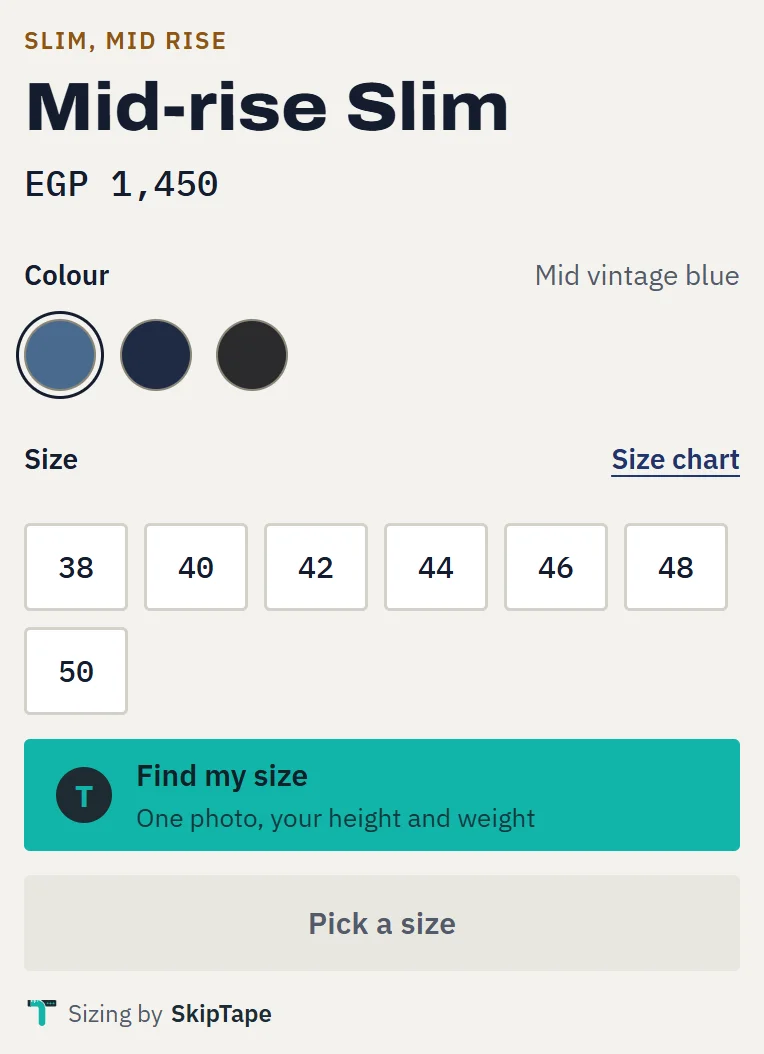
A Find my size button on every product page.
1
The shopper taps Find my size
On your product page, in your store’s look.
2
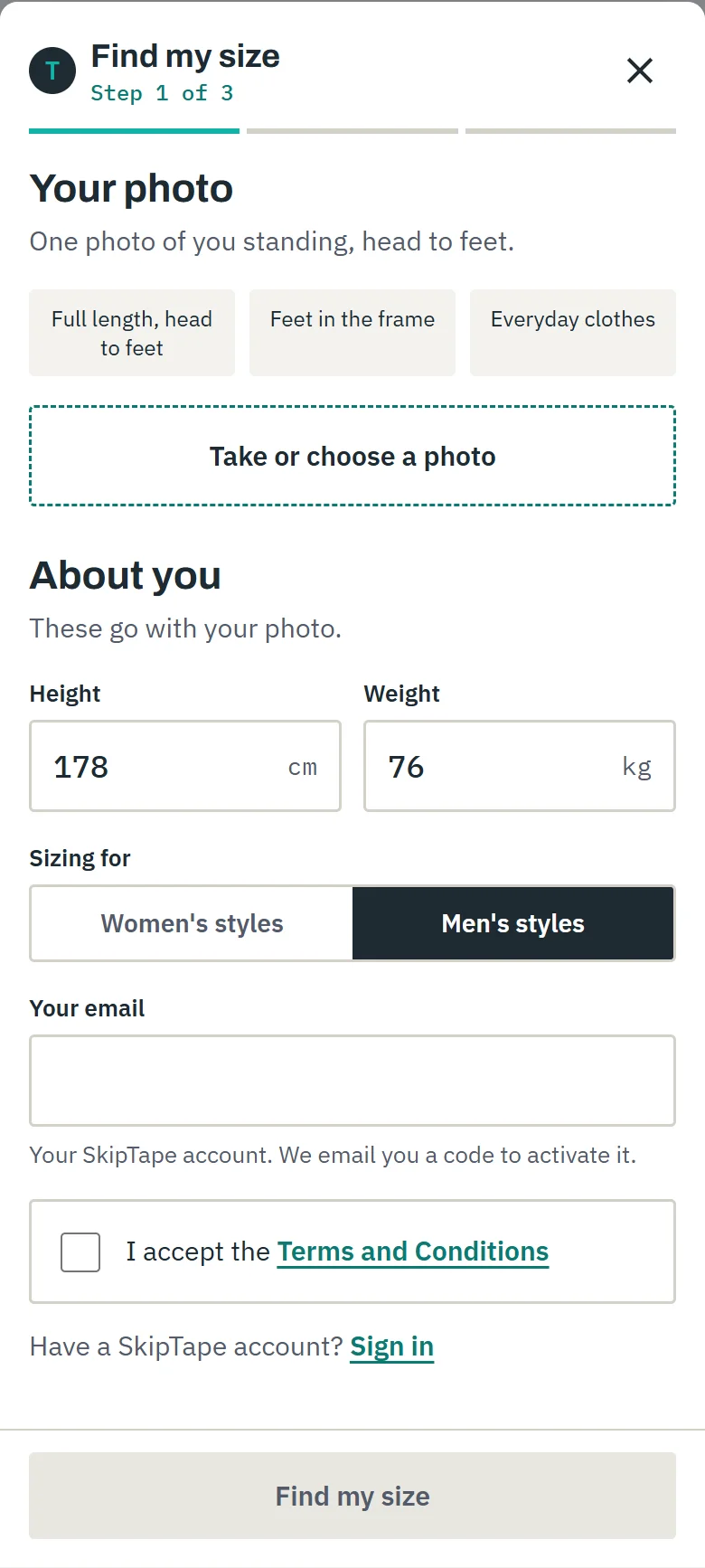
One photo from the gallery
No special pose, no tight clothes.
3
Measured, then matched to your chart
The size, and where it sits: tight, right or loose.
Built for every style
Every style sized from its own chart.
Results
98%
accuracy of the measurements, in centimetres
Expected
35%
lower return rate
Expected
4x
conversion rate
Expected results are for shoppers who pick their size with SkipTape, compared to consulting a size chart.
Pricing
Plans for brands of every size.
A clear plan by the number of orders your store gets. Monthly plans can be cancelled any time.
Questions
What brand owners ask us.
What does the shopper need?
One full-length photo, straight from their phone gallery, plus their height and weight. No special pose, no tight clothes, no tape.
What do I send you?
Your size chart for each style, and how your team measures it. That is all. No order history and no returns data.
What does the free trial include?
Find My Measurements only: body measurements in centimetres from one photo, height and weight. Try it on yourself or people whose measurements you know, and compare with a tape. It does not include Find My Size, size recommendations, store integration or a configured catalogue. Request it through our form; we reply by email with access.
What is a style?
One size chart. Multiple products may have the same size chart, and they count as one style. All the colours of one style count once.
Do I need a developer?
No. On Shopify and WooCommerce you install our app or plugin. On any other website you add one line. On Instagram you share a size link.
Which garments can it size?
Jeans, trousers, tops, shirts, jackets and coats, for women and men. Dresses are not sized yet.
How do I get started?
Start with the free measurement trial. When you are ready for sizing, choose a plan: we connect your store, set up your first quarter’s styles and switch your button on.
Try the measurement tool.
Request a free trial of Find My Measurements. Test it on yourself or people whose measurements you know, and compare with a tape. Measurements only; sizing comes with setup.